Step 5 — Account Credentials
Step 5 of 11 — Account Credentials stores all third-party platform logins associated with the villa — booking platforms, management software, and social media. All credentials are encrypted at rest.
“All credentials are encrypted and stored securely”
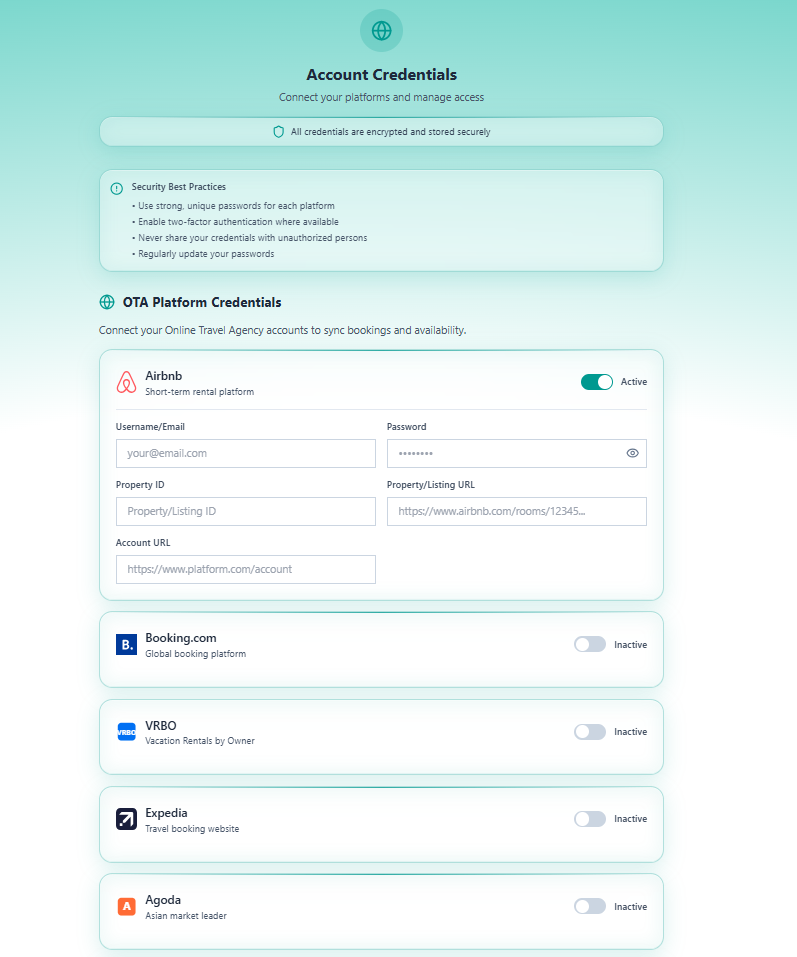
Security Best Practices
Section titled “Security Best Practices”
- Use strong, unique passwords for each platform
- Enable two-factor authentication where available
- Never share credentials with unauthorised persons
- Regularly update your passwords
Section 1 — OTA Platform Credentials
Section titled “Section 1 — OTA Platform Credentials”Connect your Online Travel Agency accounts to sync bookings and availability.
Each platform has an Active / Inactive toggle. Toggle it on to expand the credential fields.
Available OTA Platforms
Section titled “Available OTA Platforms”| Platform | Description | Toggle State |
|---|---|---|
| Airbnb | Short-term rental platform | Active (default expanded) |
| Booking.com | Global booking platform | Inactive |
| VRBO | Vacation Rentals by Owner | Inactive |
| Expedia | Travel booking website | Inactive |
| Agoda | Asian market leader | Inactive |
Fields per OTA Platform (when Active)
Section titled “Fields per OTA Platform (when Active)”| Field | Description | Example |
|---|---|---|
| Username / Email | Login email for the platform | [email protected] |
| Password | Login password (masked — click 👁️ to reveal) | |
| Property ID | Platform-specific property/listing identifier | 12345678 |
| Property / Listing URL | Direct URL to the listing page | https://www.airbnb.com/rooms/12345 |
| Account URL | URL of the account/host dashboard | https://www.platform.com/account |
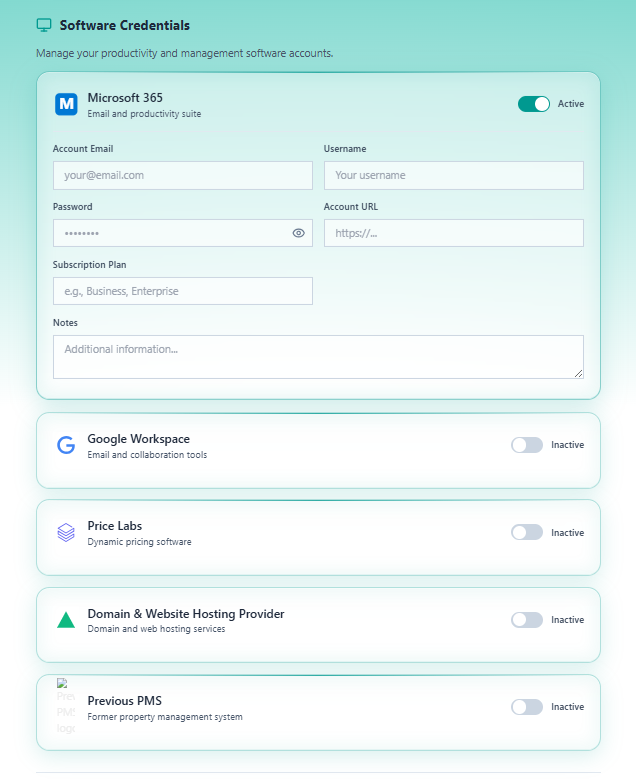
Section 2 — Software Credentials
Section titled “Section 2 — Software Credentials”Manage productivity and property management software accounts.
Available Software Platforms
Section titled “Available Software Platforms”| Platform | Description | Toggle State |
|---|---|---|
| Microsoft 365 | Email and productivity suite | Active (default expanded) |
| Google Workspace | Email and collaboration tools | Inactive |
| Price Labs | Dynamic pricing software | Inactive |
| Domain & Website Hosting Provider | Domain and web hosting services | Inactive |
| Previous PMS | Former property management system | Inactive |
Fields for Microsoft 365 (and similar software)
Section titled “Fields for Microsoft 365 (and similar software)”| Field | Description |
|---|---|
| Account Email | Login email |
| Username | Platform username |
| Password | Login password (masked) |
| Account URL | Platform URL |
| Subscription Plan | Plan type (e.g. Business, Enterprise) |
| Notes | Any additional information |
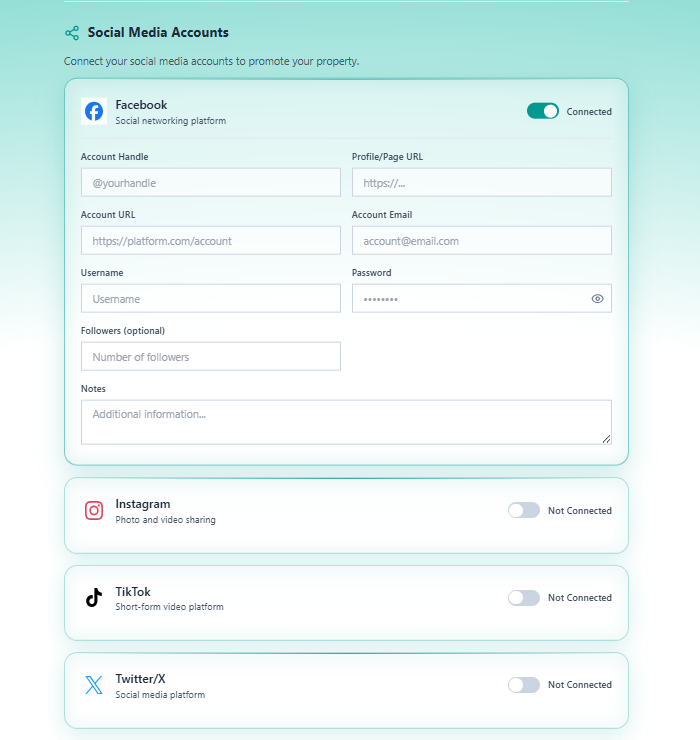
Section 3 — Social Media Accounts
Section titled “Section 3 — Social Media Accounts”Connect social media accounts to promote the property.
Available Platforms
Section titled “Available Platforms”| Platform | Description | Toggle State |
|---|---|---|
| Social networking platform | Connected (default expanded) | |
| Photo and video sharing | Not Connected | |
| TikTok | Short-form video platform | Not Connected |
| Twitter / X | Social media platform | Not Connected |
Fields per Social Media Platform (when Connected)
Section titled “Fields per Social Media Platform (when Connected)”| Field | Description |
|---|---|
| Account Handle | Platform handle (e.g. @yourhandle) |
| Profile / Page URL | Direct link to the profile or page |
| Account URL | Account dashboard URL |
| Account Email | Email linked to the account |
| Username | Login username |
| Password | Login password (masked) |
| Followers | Follower count (optional, for reference) |
| Notes | Additional information |
Navigation
Section titled “Navigation”| Control | Action |
|---|---|
| Previous | Return to Step 4 — Bank Details |
| Save Progress | Save without advancing |
| Next | Save and advance to Step 6 — Documents Upload |
Proceed to Step 6 — Documents Upload.