Employees
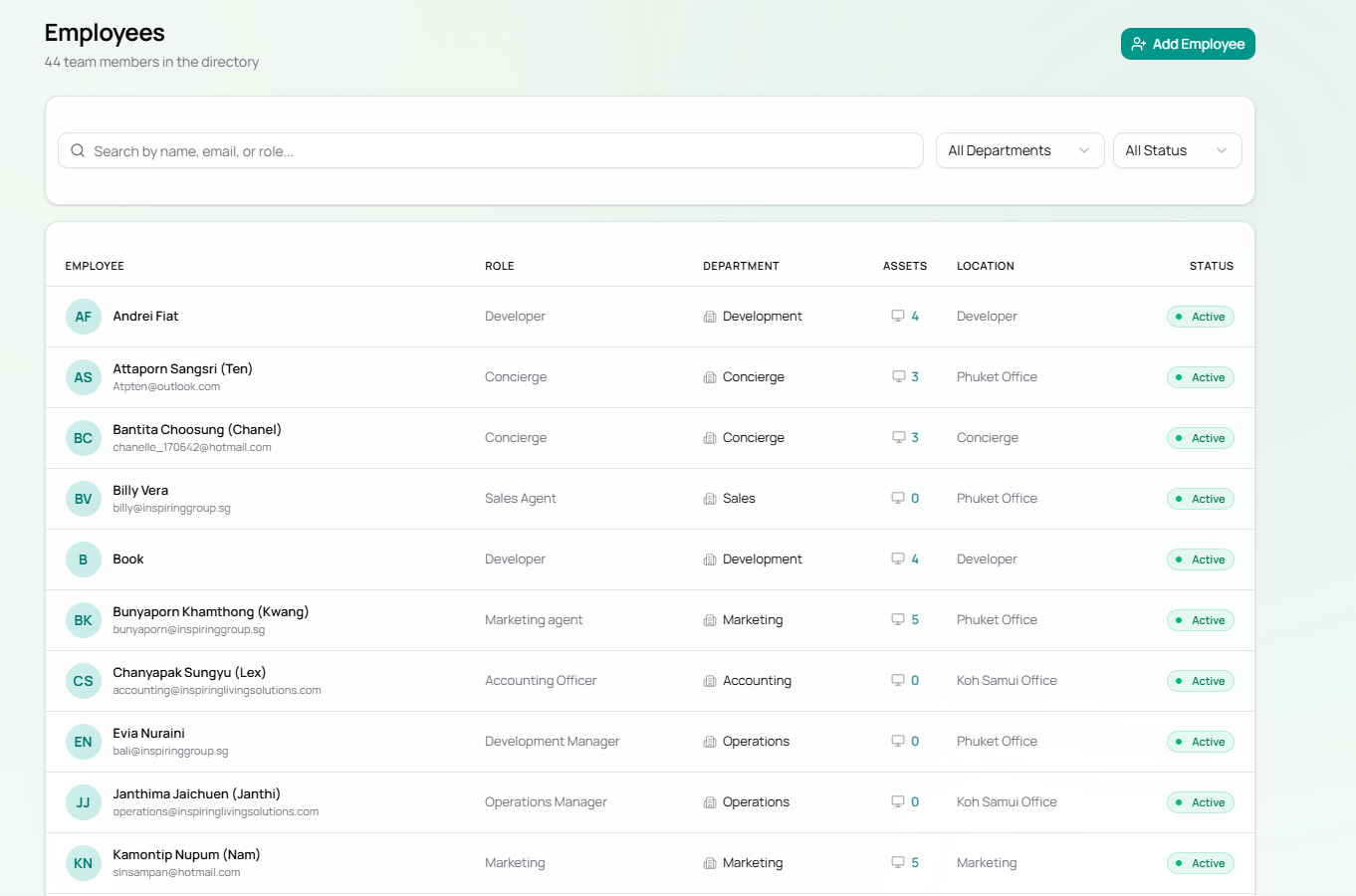
The Employees page is the staff directory. It lists all 44 team members across 10 departments and lets you manage employee profiles and their assigned assets.
Navigate to Employees in the top navigation bar.
Page Layout
Section titled “Page Layout”| Element | Description |
|---|---|
| Search bar | Search by name, email, or role |
| All Departments | Filter dropdown to narrow by department |
| All Status | Filter by Active / Inactive |
| Add Employee button | Opens the Add Employee form (top right) |
Employee Table Columns
Section titled “Employee Table Columns”| Column | Description |
|---|---|
| Avatar | Initials-based avatar with teal background |
| Employee | Full name (and email below if set) |
| Role | Job title / role |
| Department | Department badge with building icon |
| Assets | Count of assigned hardware items (clickable) |
| Location | Office or location (e.g. Phuket Office, Koh Samui Office) |
| Status | Active (green dot) |
Departments in the System
Section titled “Departments in the System”| Department | Employees | Assets |
|---|---|---|
| Development | 9 | 24 |
| Marketing | 10 | 21 |
| Concierge | 6 | 10 |
| Sales | 8 | 7 |
| Accounting | 3 | 5 |
| Data & AI | 1 | 4 |
| Tech | 0 | 3 |
| Operations | 5 | 2 |
| Data & Analytics | 1 | 1 |
| Purchasing | 1 | 1 |
Adding a New Employee
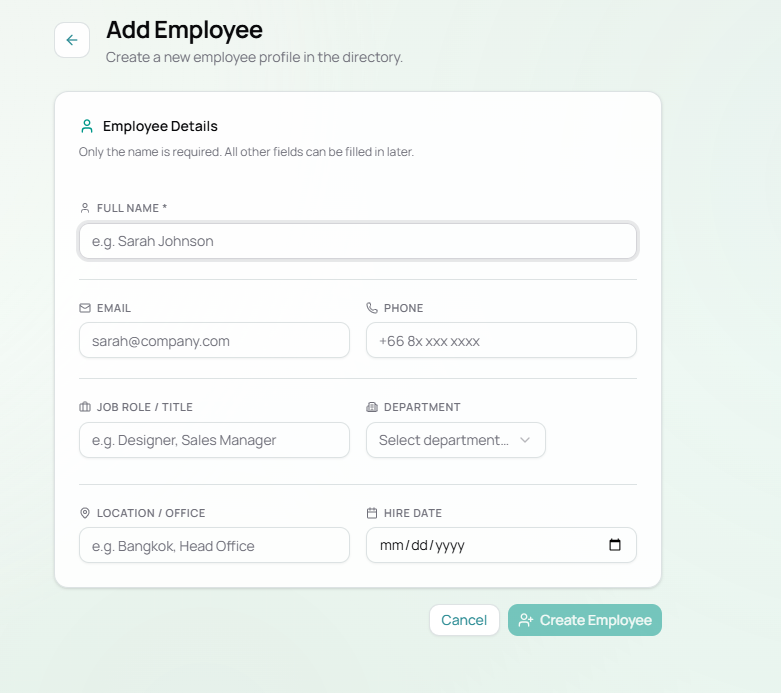
Section titled “Adding a New Employee”Click the + Add Employee button (top right).
Add Employee Form Fields
Section titled “Add Employee Form Fields”| Field | Required | Description | Example |
|---|---|---|---|
| Full Name | Yes | Employee’s full name | Sarah Johnson |
| No | Work email address | [email protected] | |
| Phone | No | Phone number (Thai format) | +66 8x xxx xxxx |
| Job Role / Title | No | Position or title | Designer, Sales Manager |
| Department | No | Select from dropdown | Marketing, Development |
| Location / Office | No | Physical work location | Bangkok, Head Office |
| Hire Date | No | Start date | mm/dd/yyyy |
Only the name is required. All other fields can be filled in or updated later from the employee profile.
Click Create Employee to save. The employee will appear in the directory and a Employee Created event will be recorded in the Activity Log.
Employee Profile
Section titled “Employee Profile”Click any employee’s name to open their full profile. From there you can:
- View and edit all their details
- See all assigned assets
- Export a per-employee PDF report
Flow: Adding and Equipping a New Hire
Section titled “Flow: Adding and Equipping a New Hire”flowchart TD A[New hire joins] --> B[Add Employee via + Add Employee] B --> C[Employee appears in directory] C --> D{Equipment needed?} D -->|Yes| E[Go to Asset Pool] E --> F[Click Assign on available asset] F --> G[Select the new employee] G --> H[Asset linked to employee] D -->|No| I[Employee has 0 assets - assignable later] H --> J[Activity Log records both events]