Inventory
The Inventory page shows all items across every registered property in a single flat list. It is the primary view for monitoring stock levels and identifying low stock items.

Page Header
Section titled “Page Header”| Element | Description |
|---|---|
| Title | Inventory |
| Item count | Total items shown (e.g. 4 items) |
| + Add Item | Opens the Add New Item form |
Search & Filter
Section titled “Search & Filter”| Control | Description |
|---|---|
| Search items or SKU… | Text search by item name or SKU |
| All Categories | Dropdown — filter by category |
Inventory Table
Section titled “Inventory Table”Columns
Section titled “Columns”| Column | Description |
|---|---|
| Item | Item name |
| Category | Category badge (e.g. Equipment, Linen) |
| Property | Property name + location sub-label |
| Quantity | current / minimum — e.g. 4 / 8 means 4 in stock, minimum is 8 |
| Status | In Stock or Low Stock (red badge) |
| Actions | View link — opens the item detail page |
Stock Status Logic
Section titled “Stock Status Logic”| Display | Condition |
|---|---|
| In Stock | Current quantity ≥ minimum quantity |
| Low Stock (red badge) | Current quantity < minimum quantity |
Current Items (Live Data)
Section titled “Current Items (Live Data)”| Item | Category | Property / Location | Qty / Min | Status |
|---|---|---|---|---|
| Smart TV 55” | Equipment | Villa Kohia / Bedroom 1 | 1 / 1 | Low Stock |
| L-Shaped Sofa - Gray | Equipment | Villa Kohia / Living Room Level | 1 / 1 | Low Stock |
| Body Towels - White | Linen | Villa Kohia / Bedroom 1 | 12 / 10 | In Stock |
| Beach Towels | Linen | Villa Kohia / Pool Floor | 4 / 8 | Low Stock |
3 of 4 items are currently showing Low Stock status.
Add New Item Form
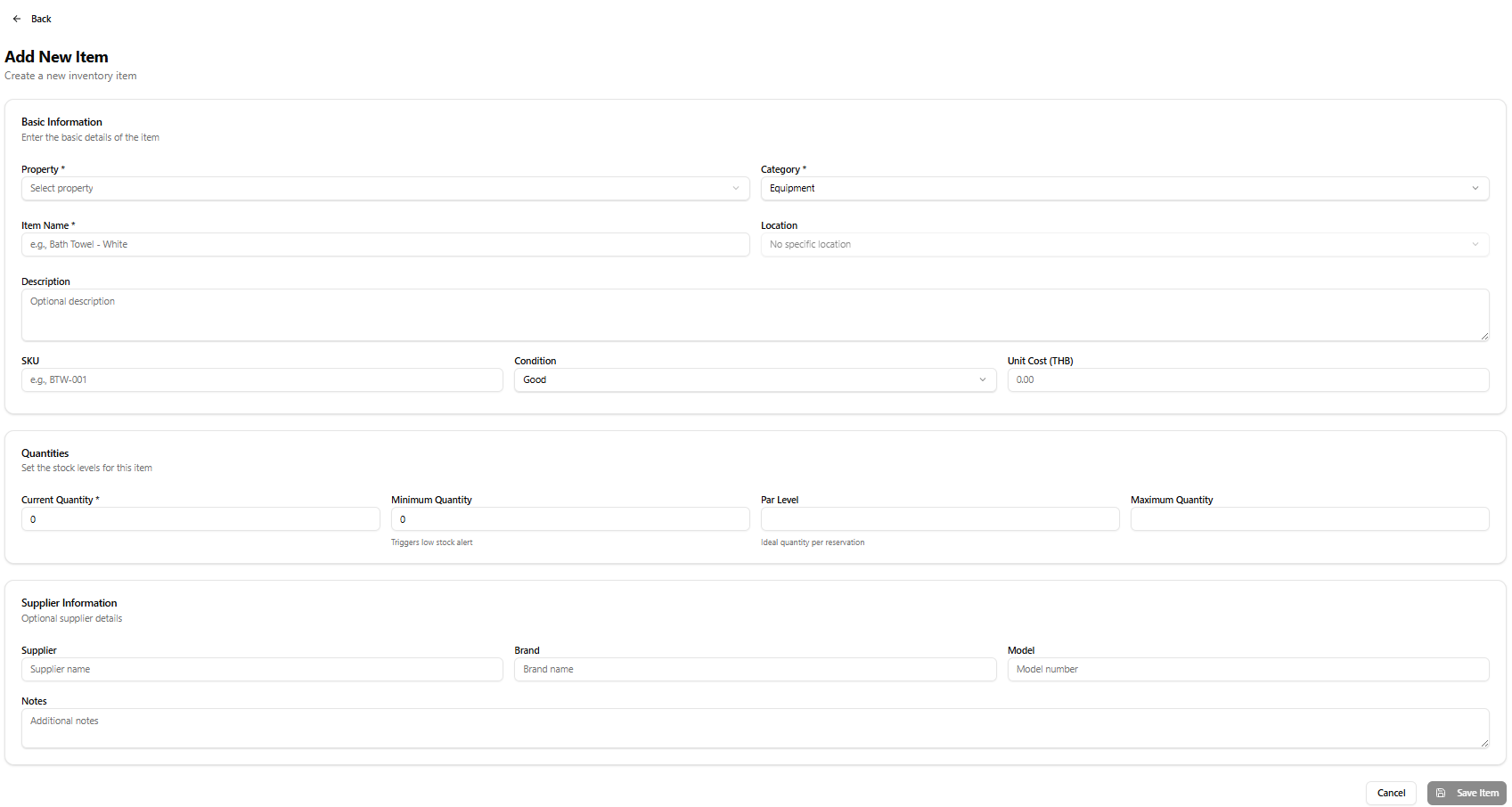
Section titled “Add New Item Form”Access via + Add Item from the Inventory page, or from a Property detail page. Back link: ← Back
Title: Add New Item · Subtitle: Create a new inventory item
Basic Information
Section titled “Basic Information”Enter the basic details of the item
| Field | Required | Notes |
|---|---|---|
| Property | Yes | Dropdown — Select property |
| Category | Yes | Default: Equipment |
| Item Name | Yes | e.g. Bath Towel - White |
| Location | No | Dropdown — default: No specific location; populated after selecting a property |
| Description | No | Optional description |
| SKU | No | e.g. BTW-001 |
| Condition | No | Default: Good |
| Unit Cost (THB) | No | Numeric, default 0.00 |
Quantities
Section titled “Quantities”Set the stock levels for this item
| Field | Required | Notes |
|---|---|---|
| Current Quantity | Yes | Default: 0 |
| Minimum Quantity | No | Default: 0 — triggers Low Stock alert when current falls below this |
| Par Level | No | Ideal quantity per reservation |
| Maximum Quantity | No | Upper stock limit |
Supplier Information
Section titled “Supplier Information”Optional supplier details
| Field | Notes |
|---|---|
| Supplier | Supplier name |
| Brand | Brand name |
| Model | Model number |
| Notes | Additional notes |
Form Actions
Section titled “Form Actions”| Button | Action |
|---|---|
| Cancel | Discard and return |
| Save Item | Create the inventory item |
Stock Status Flow
Section titled “Stock Status Flow”flowchart LR A[Item quantity updated] --> B{Qty >= Minimum?} B -- Yes --> C[Status: In Stock] B -- No --> D[Status: Low Stock\nRed badge shown] D --> E[Dashboard Low Stock counter increments]