OBV — Villa Onboarding
OBV (Onboarding Villas) is the system used by staff to add new villa properties to the Inspiring Living Solutions portfolio. It provides a structured 11-step onboarding wizard that collects everything needed to list a property — from basic details and owner information through to photos, documents, OTA credentials, and a final review.
Live application: obv.inspiringlivingsolutions.com
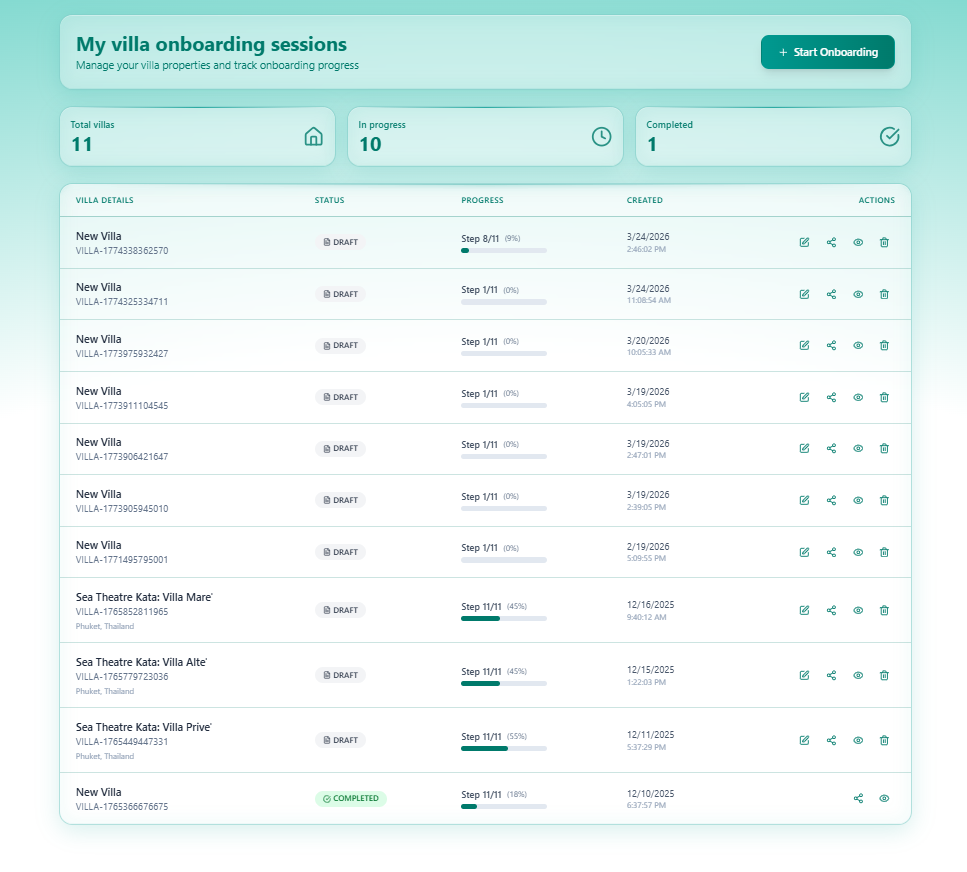
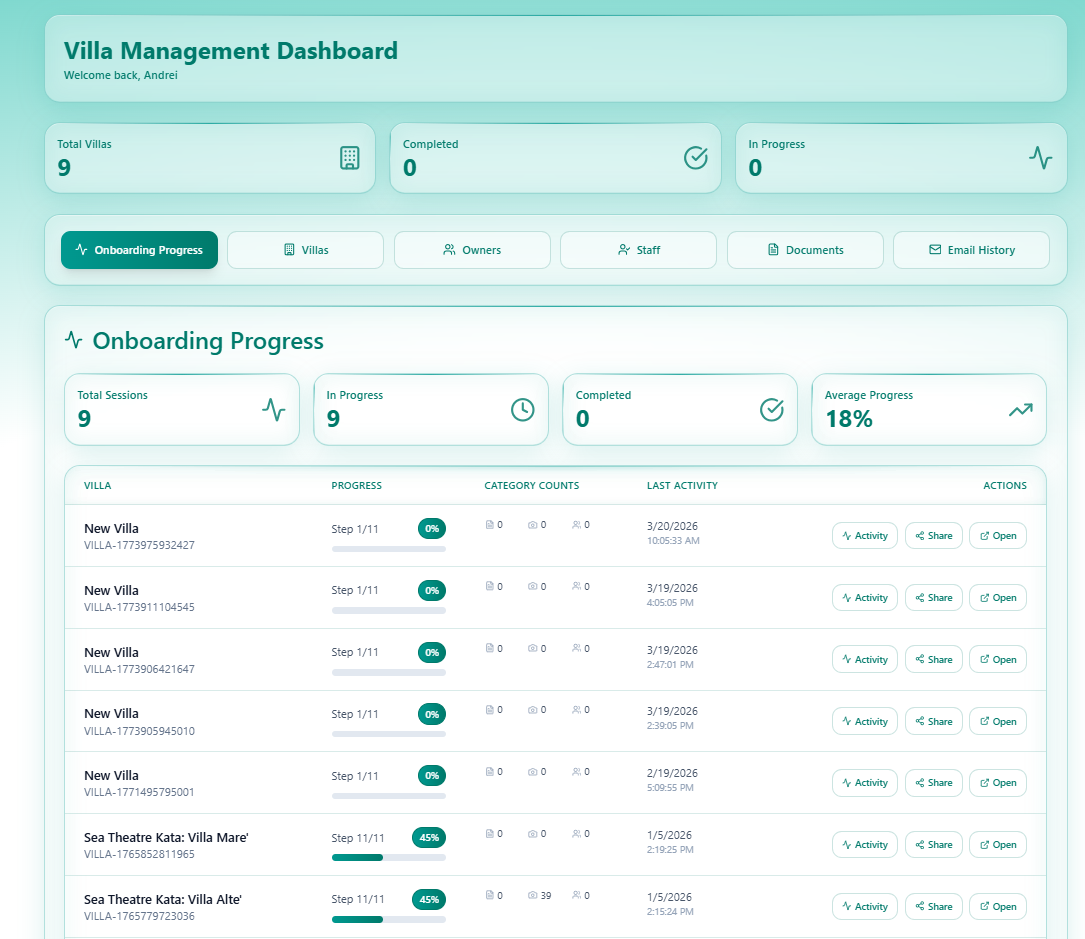
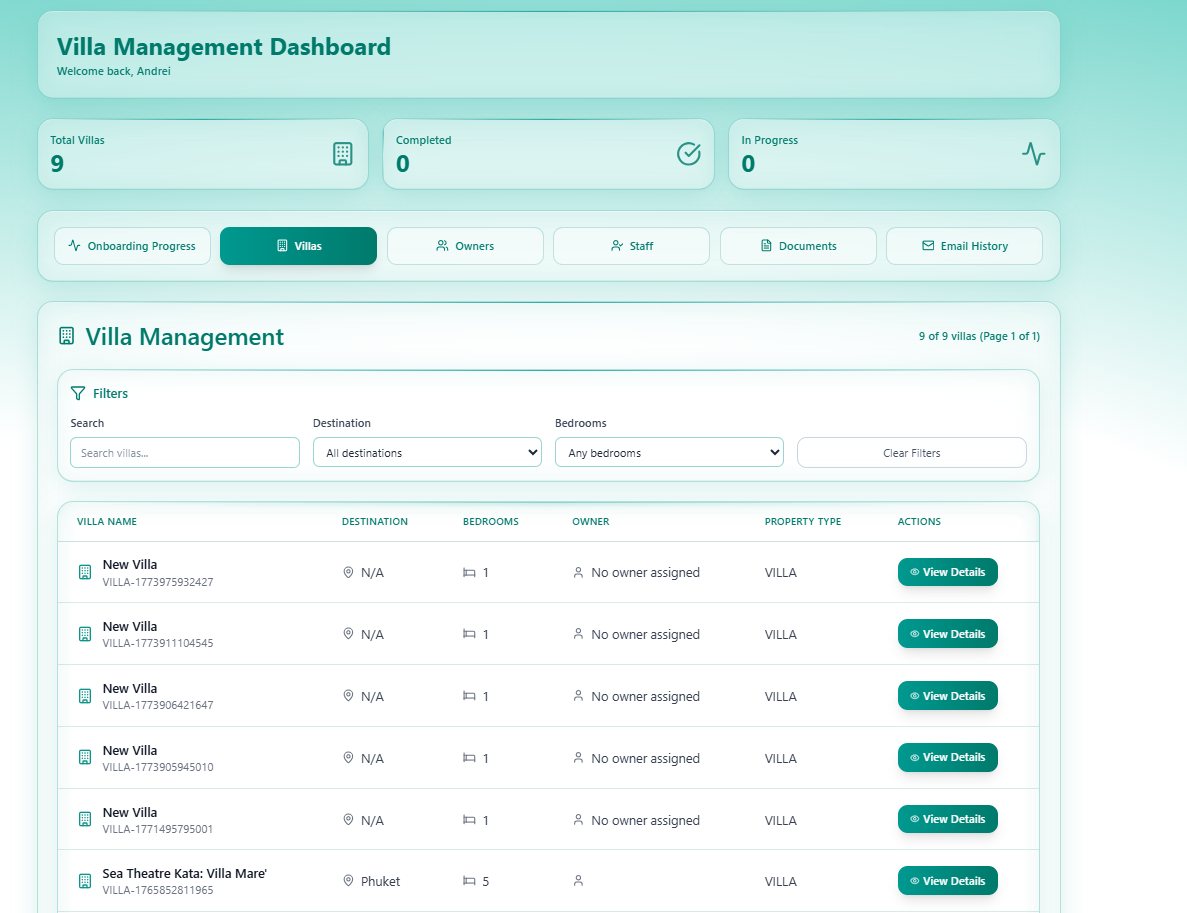
Two Views in One App
Section titled “Two Views in One App”OBV has two distinct areas:
| View | Who Uses It | URL | Purpose |
|---|---|---|---|
| My Villas | Staff / Property Managers | /my-villas | Start and manage onboarding sessions |
| Villa Management Dashboard | Admins | /dashboard | Monitor all onboarding progress, owners, staff, documents, emails |
What OBV Does
Section titled “What OBV Does”| Capability | Description |
|---|---|
| Onboarding Wizard | 11-step guided flow to collect all villa data |
| Progress Tracking | Each villa session tracks step completion and overall % |
| Auto-save | Form data is saved automatically as you type |
| Owner Management | Record and manage villa owner details |
| Document Storage | Upload and organise villa documents (stored in SharePoint) |
| Staff Management | Assign staff to villa properties |
| OTA Credentials | Store Booking.com, Airbnb, VRBO login details securely |
| Email Notifications | Daily and weekly onboarding digest emails to admins |
Current Status
Section titled “Current Status”| Metric | Value |
|---|---|
| Total villas | 9 |
| In progress | 8 |
| Completed | 1 |
| Average progress | 18% |
| Owners registered | 3 |
| Emails sent | 100 |
The 11-Step Wizard
Section titled “The 11-Step Wizard”Each onboarding session progresses through 11 steps. Steps are saved individually and support auto-save.
| Step | Name | Key Data Collected |
|---|---|---|
| 1 | Basic Information | Villa name, property type, bedrooms |
| 2 | Location | Address, destination, coordinates |
| 3 | Owner Details | Owner name, email, phone, nationality |
| 4 | Property Details | Description, features, pricing info |
| 5 | Facilities | Amenities checklist |
| 6 | Photos | Property photos (uploaded to SharePoint) |
| 7 | OTA Credentials | Booking.com, Airbnb, VRBO logins |
| 8 | Bank Details | Owner bank account for payouts |
| 9 | Contracts | Management agreement details |
| 10 | Staff | Assign housekeeping, management staff |
| 11 | Review & Publish | Final review and submission |
Villa ID Format
Section titled “Villa ID Format”Every villa created in OBV is assigned a unique ID:
VILLA-1773975932427VILLA-1765852811965This ID is used across all tabs of the admin dashboard to link onboarding sessions, owners, documents, and emails.
System Overview
Section titled “System Overview”graph TD A[Staff Member] -->|Login| B[My Villas] B --> C[Start Onboarding] C --> D[11-Step Wizard] D -->|Auto-save each step| E[(PostgreSQL Database)] D -->|File uploads| F[Microsoft SharePoint] D --> G[Submit / Complete] G --> H[Villa status: COMPLETED]
I[Admin] -->|Login| J[Villa Management Dashboard] J --> K[Onboarding Progress] J --> L[Villas] J --> M[Owners] J --> N[Staff] J --> O[Documents] J --> P[Email History]
Q[System] -->|Daily at 7:00 PM| R[Daily Digest Email to Admin]