Step 2 — Owner Details
Step 2 of 11 — Owner Details collects all information about the person or company that owns the villa, plus an optional property manager contact.
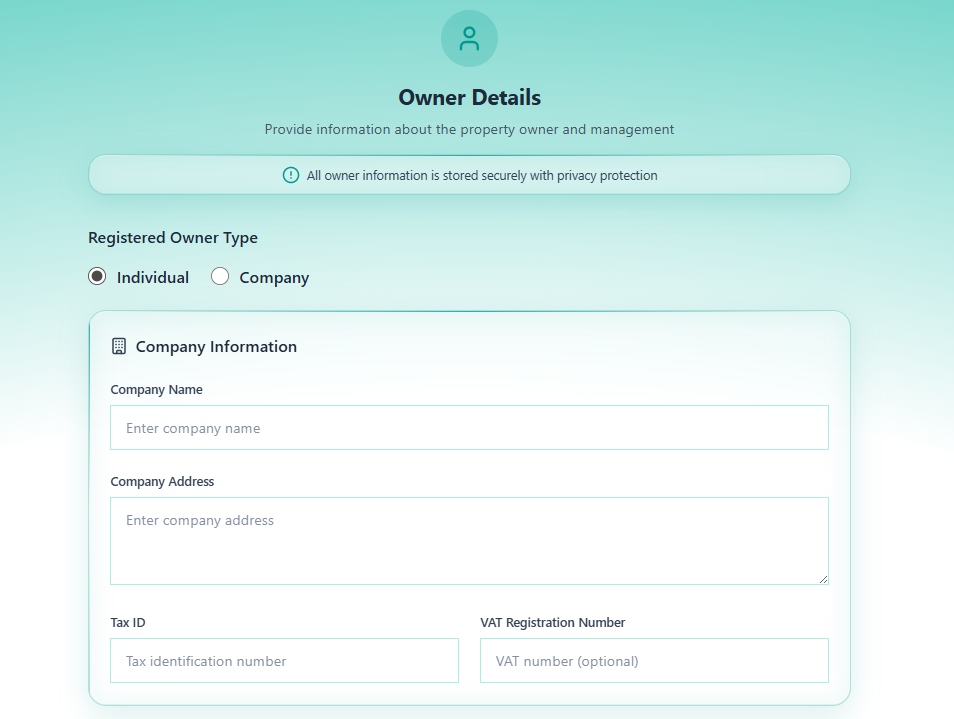
“All owner information is stored securely with privacy protection”
Sections in This Step
Section titled “Sections in This Step”Section 1 — Registered Owner Type
Section titled “Section 1 — Registered Owner Type”Select whether the owner is a private individual or a registered company. This selection changes which fields are shown.
| Option | When to Use |
|---|---|
| Individual | Owner is a private person |
| Company | Owner is a registered business entity |
Section 2 — Company Information
Section titled “Section 2 — Company Information”Shown only when Company is selected as owner type.
| Field | Required | Description |
|---|---|---|
| Company Name | Yes (if Company) | Registered business name |
| Company Address | Yes (if Company) | Registered business address |
| Tax ID | No | Company tax identification number |
| VAT Registration Number | No | VAT number if applicable |
Section 3 — Owner Information
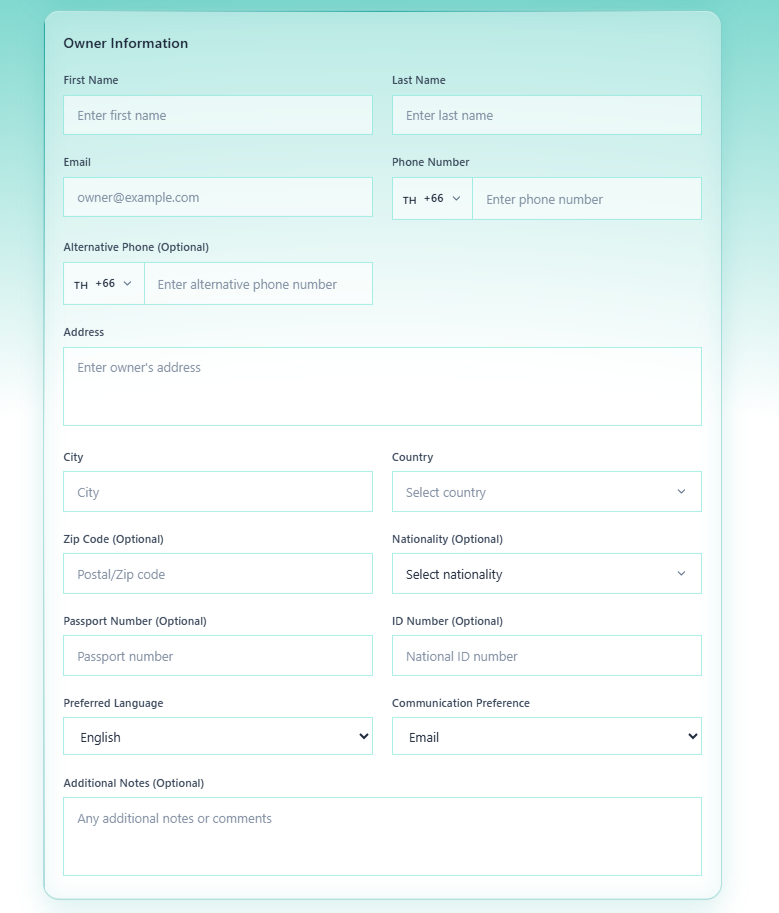
Section titled “Section 3 — Owner Information”Personal contact details for the owner.
| Field | Required | Description | Example |
|---|---|---|---|
| First Name | Yes | Owner’s first name | John |
| Last Name | Yes | Owner’s last name | Smith |
| Yes | Owner’s email address | [email protected] | |
| Phone Number | Yes | Primary phone with country code prefix | TH +66 81 234 5678 |
| Alternative Phone | No | Secondary contact number | TH +66 89 876 5432 |
| Address | No | Owner’s residential address | 456 Sukhumvit Rd |
| City | No | City of residence | Bangkok |
| Country | No | Country — select from dropdown | Thailand |
| Zip Code | No | Postal code | 10110 |
| Nationality | No | Owner’s nationality — select from dropdown | Thai, British |
| Passport Number | No | Passport number for identity verification | AA123456 |
| ID Number | No | National ID card number | 1234567890123 |
| Preferred Language | No | Communication language — default English | English, Thai |
| Communication Preference | No | Preferred contact method — default Email | Email, Phone, WhatsApp |
| Additional Notes | No | Any extra context about the owner | Free text |
Tip: Phone fields use a country code selector (flag + dial code). The default is Thailand (
TH +66). Click the flag to change country.
Section 4 — Property Manager (Optional)
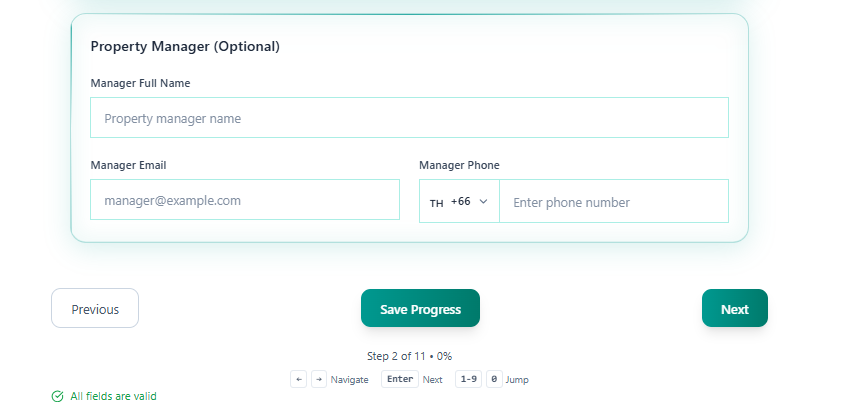
Section titled “Section 4 — Property Manager (Optional)”If the villa has a dedicated on-site or remote property manager (separate from the owner), enter their details here.
| Field | Description |
|---|---|
| Manager Full Name | Full name of the property manager |
| Manager Email | Manager’s email address |
| Manager Phone | Manager’s phone with country code |
Navigation
Section titled “Navigation”| Control | Action |
|---|---|
| Previous | Return to Step 1 — Villa Information |
| Save Progress | Save all entered data without advancing |
| Next | Save and advance to Step 3 — Contractual Details |
After Saving Step 2
Section titled “After Saving Step 2”- The owner record is created and linked to this villa
- The owner appears in the Admin Dashboard → Owners tab
- The villa’s owner column in the Villas tab updates from
No owner assigned
Proceed to Step 3 — Contractual Details.